Skip to content
PALT0 STUDIO
Availablev2.6.0Theme for Pelican Panel

Liquid Glass

Clear glass panes with a light-catching rim float over slowly drifting coloured lights. The floating top bar and sidebar bend the page that passes beneath them, like real glass. Every working screen stays as fast and readable as the default panel, so your users find everything where they expect it.

Checkout, licence and downloads are handled by BuiltByBit.

Pelican Panel 1.0.0-rc.2Full compatibility

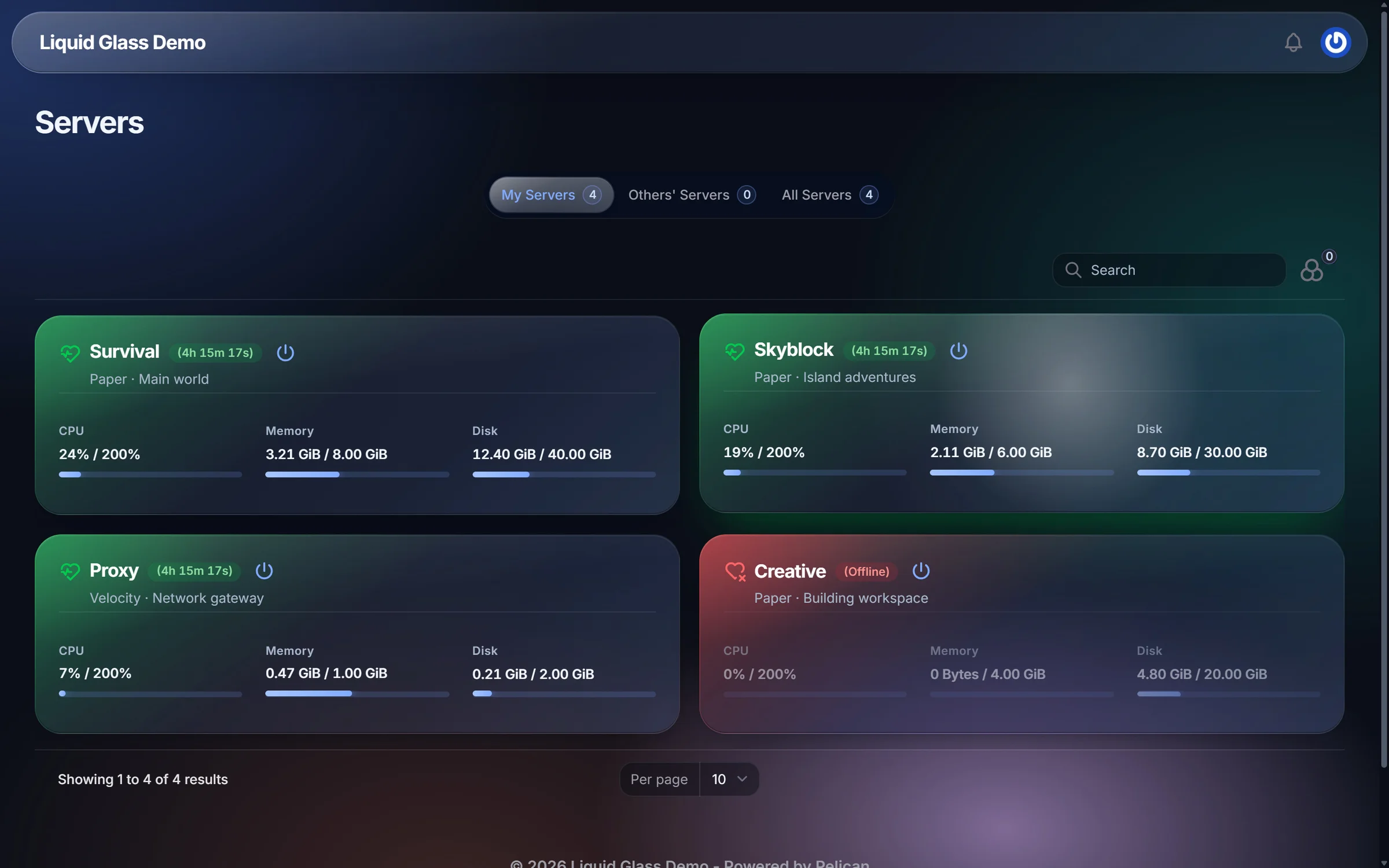
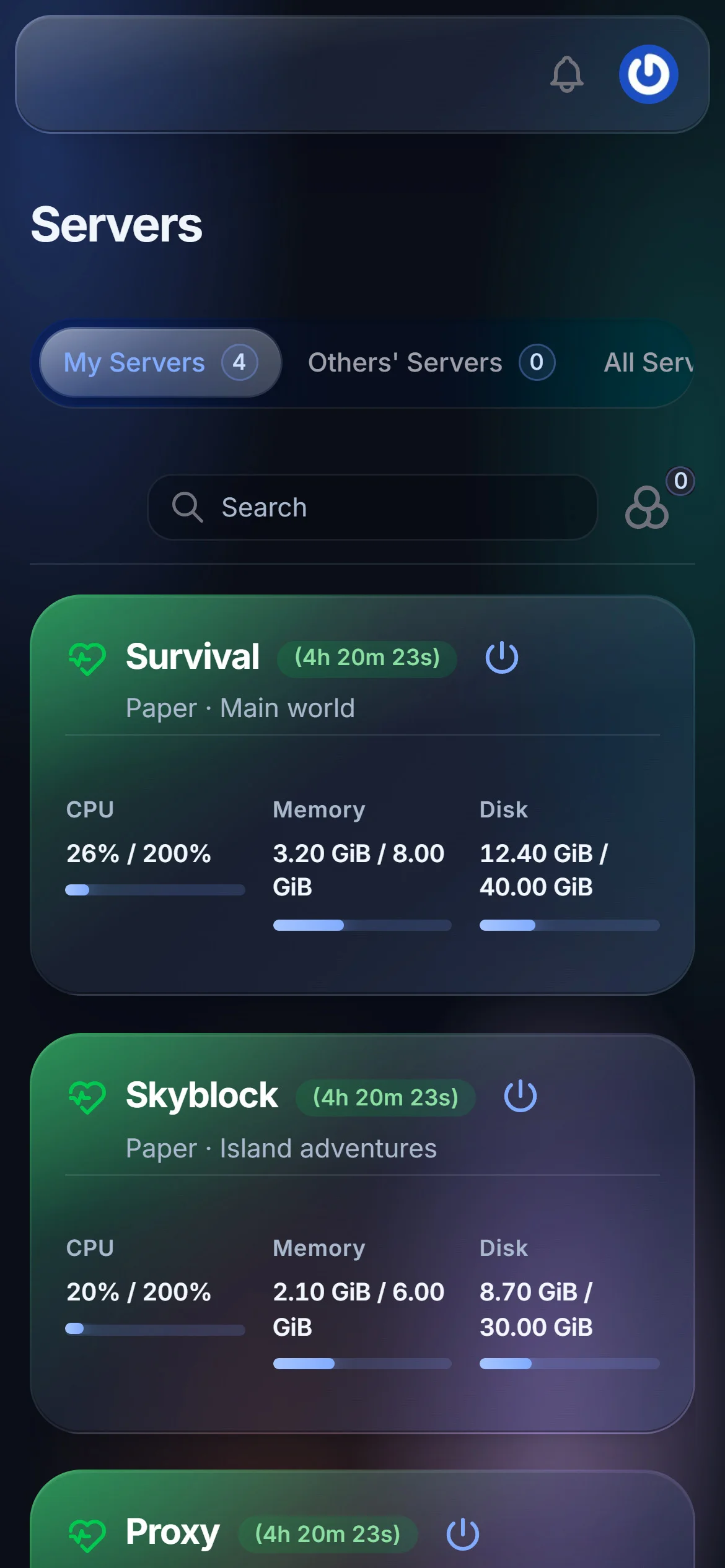
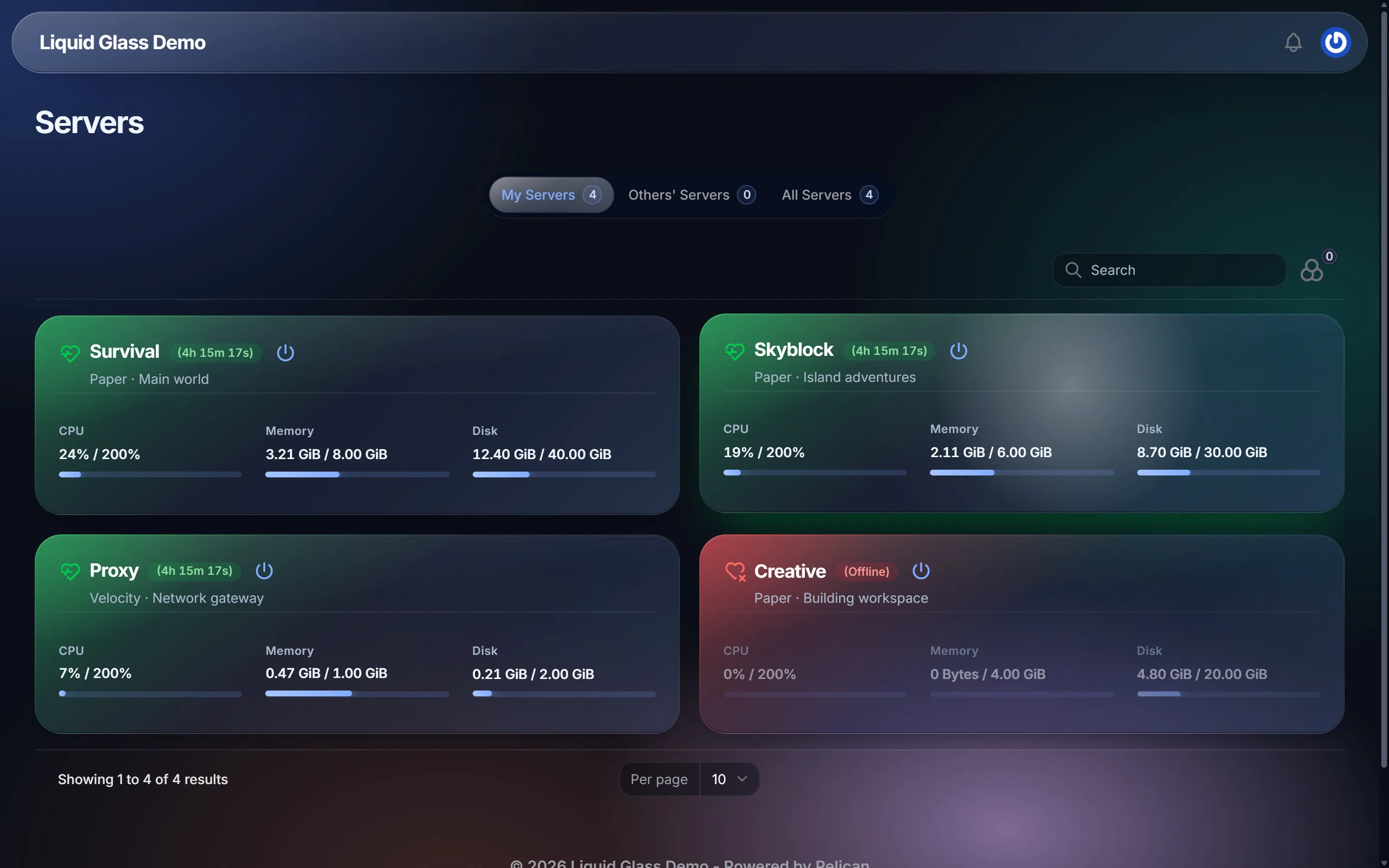
Pelican server list with the Liquid Glass theme in dark mode, four server cards lit by their state
Server list in dark mode. The glint follows the cursor across the Skyblock card.

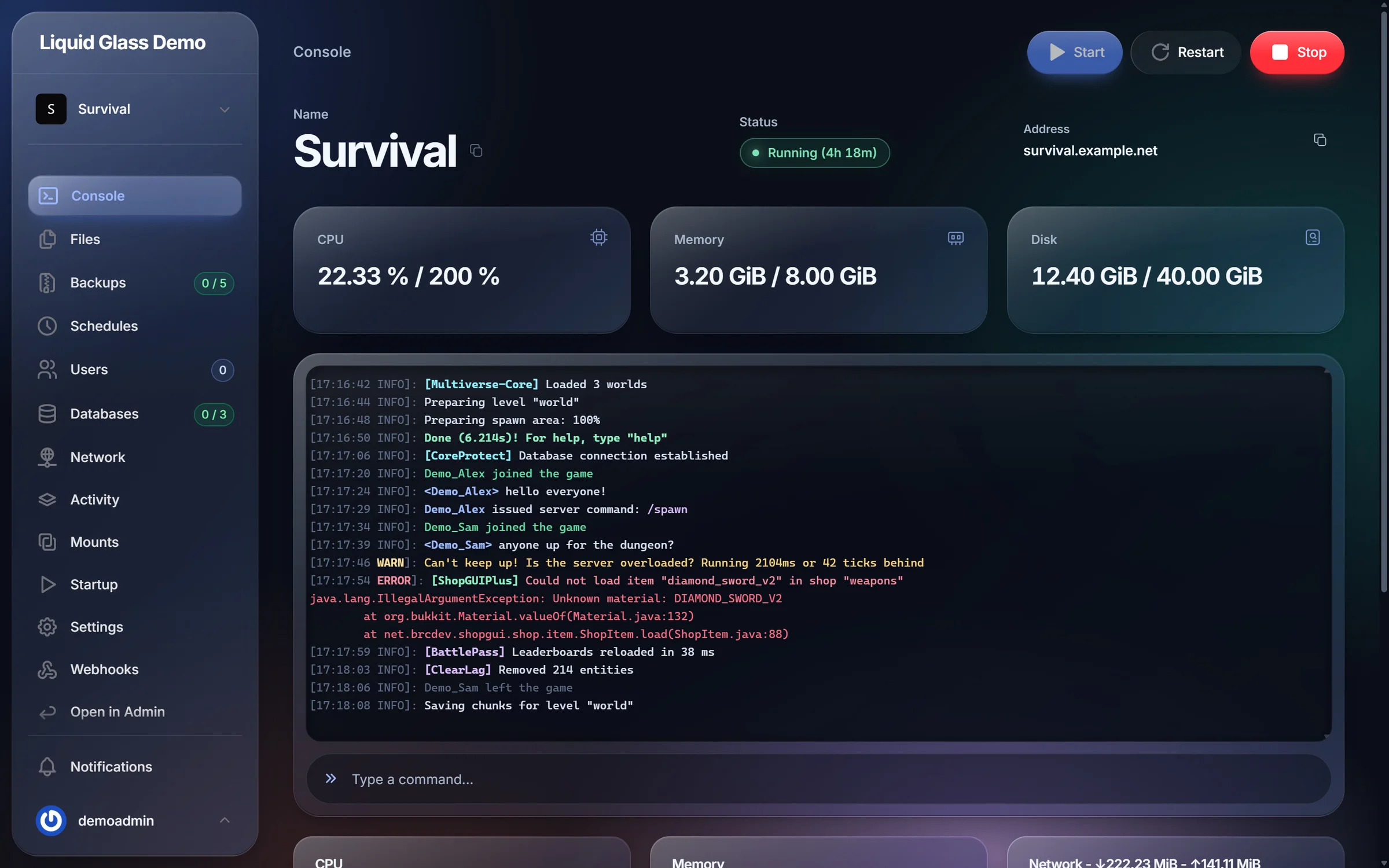
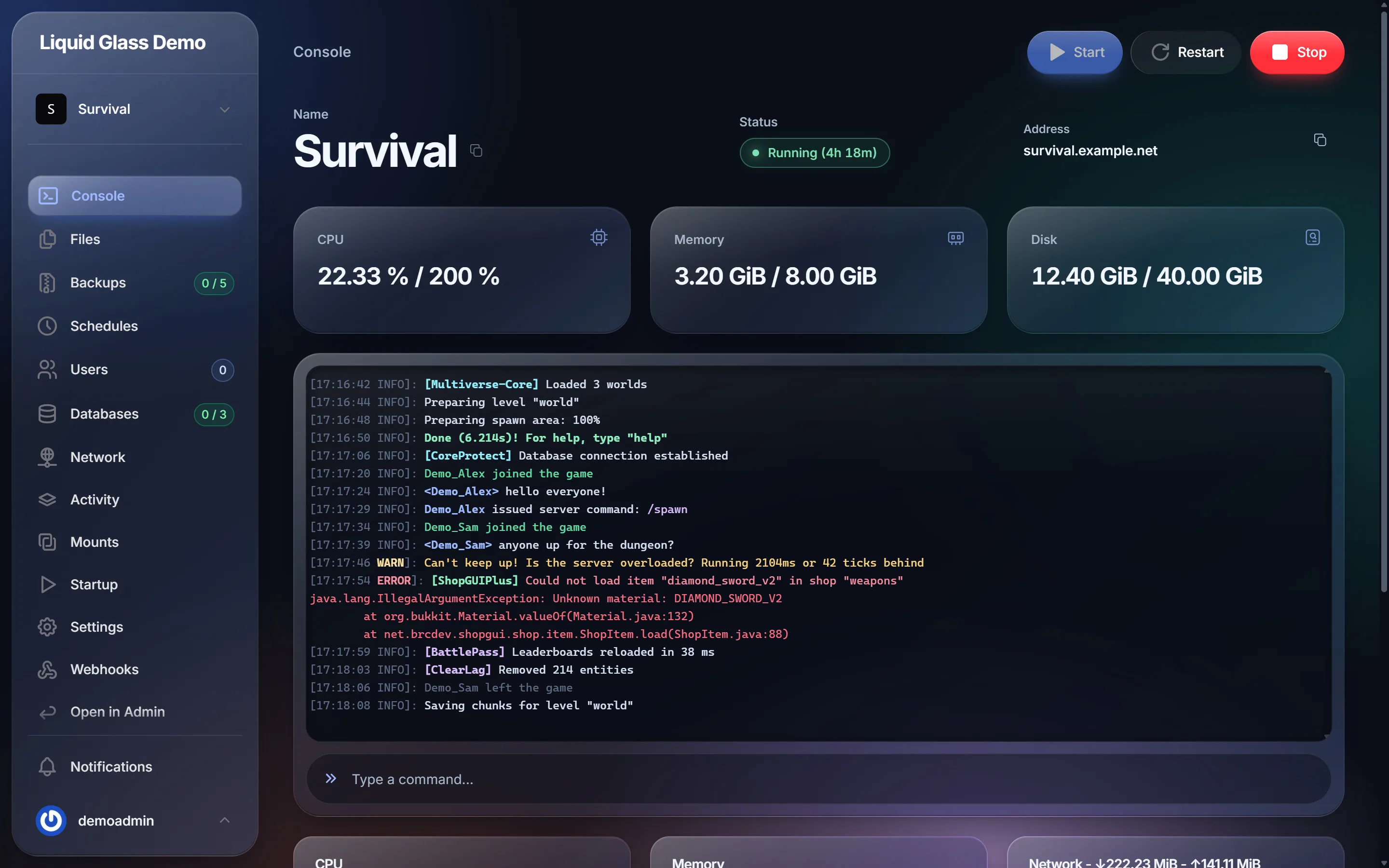
Console

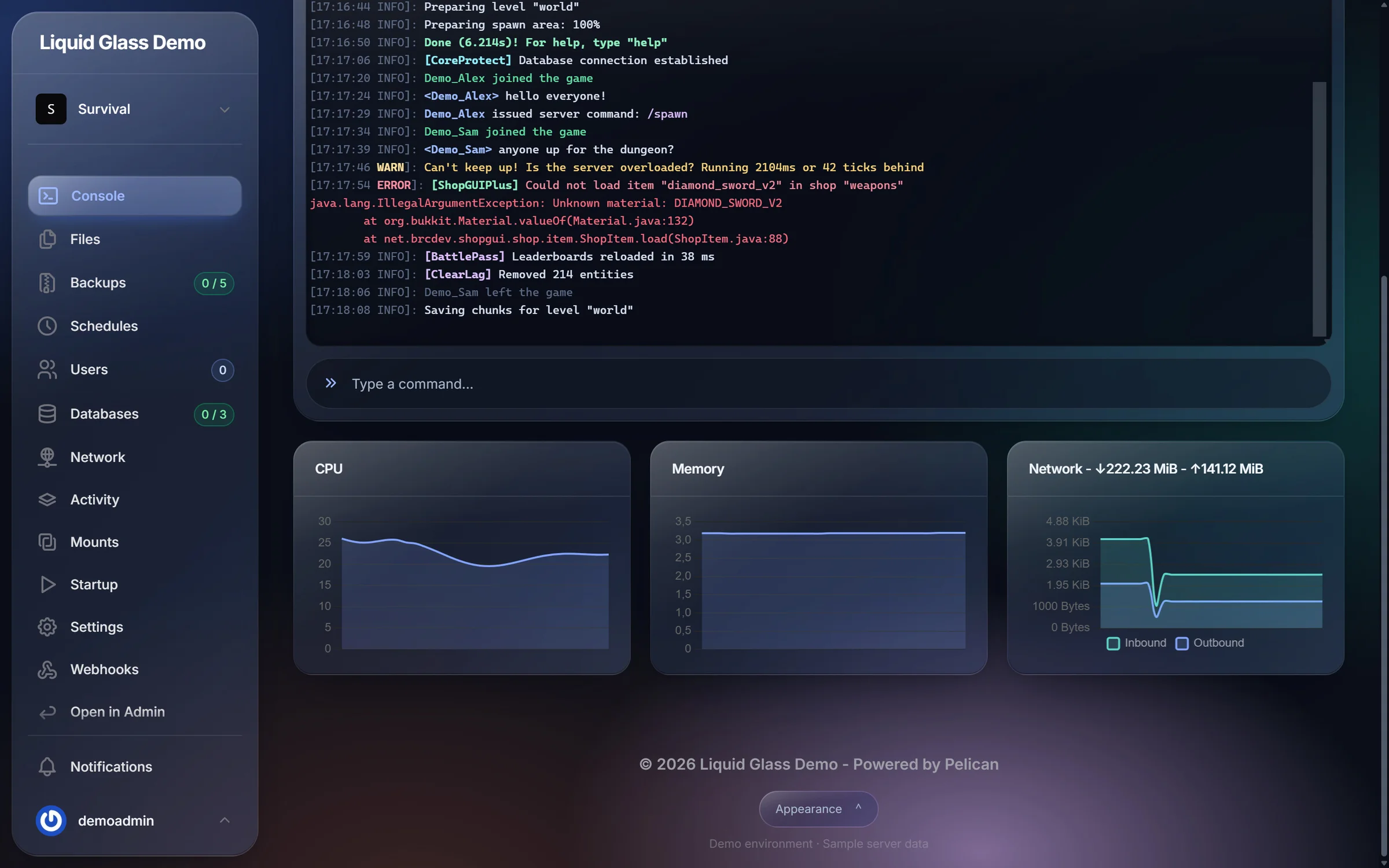
A console you can actually read.

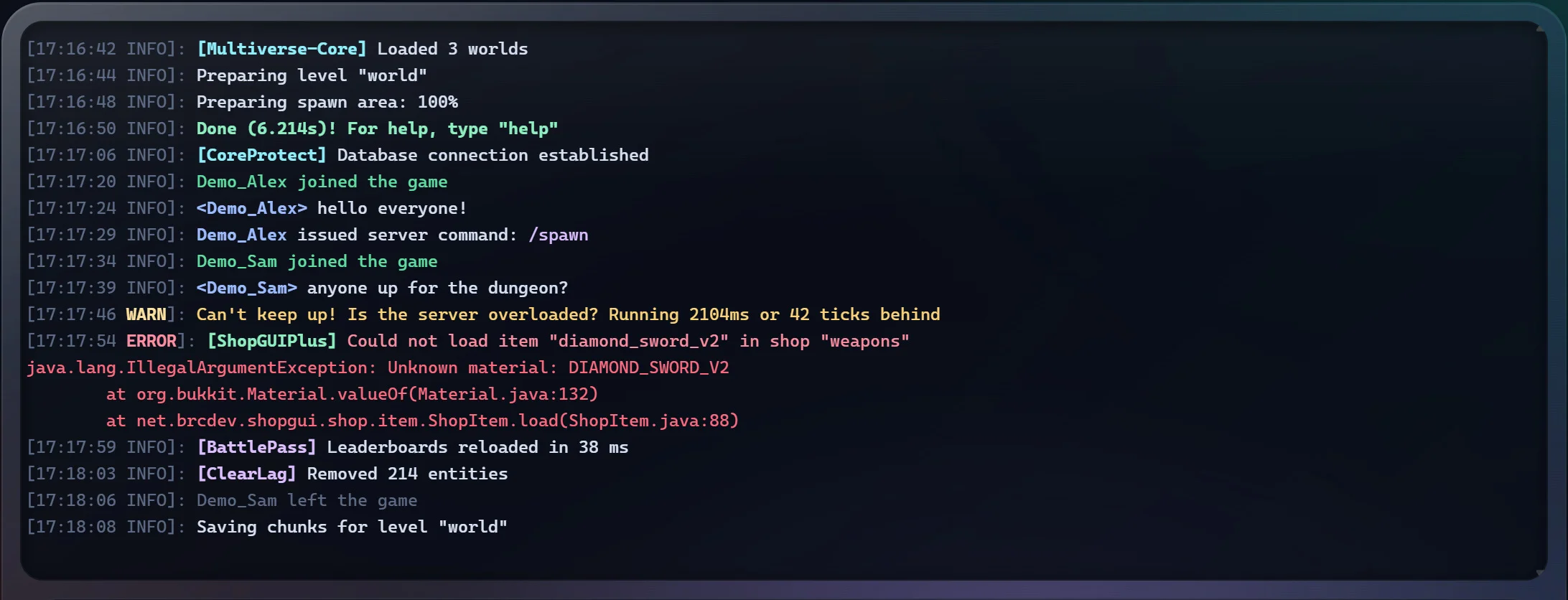
Log highlighting works with Paper, Velocity, Forge, Fabric and BungeeCord formats. The terminal sits in a glass well with a palette tuned to the theme.
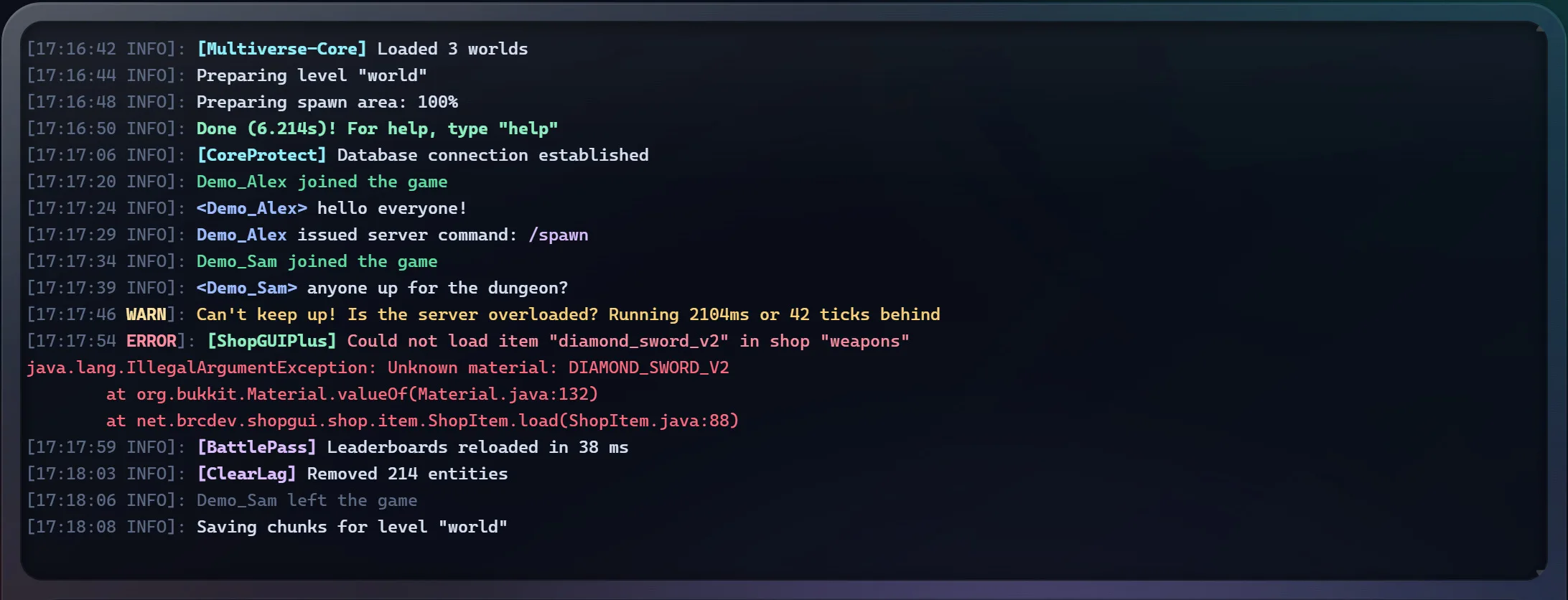
Levels
Dim timestamps, coloured INFO, WARN and ERROR.
Plugins
A stable colour for every plugin tag.
Errors
Stack traces in red, easy to spot while scrolling.
Players
Highlighted joins, chat names and player commands.
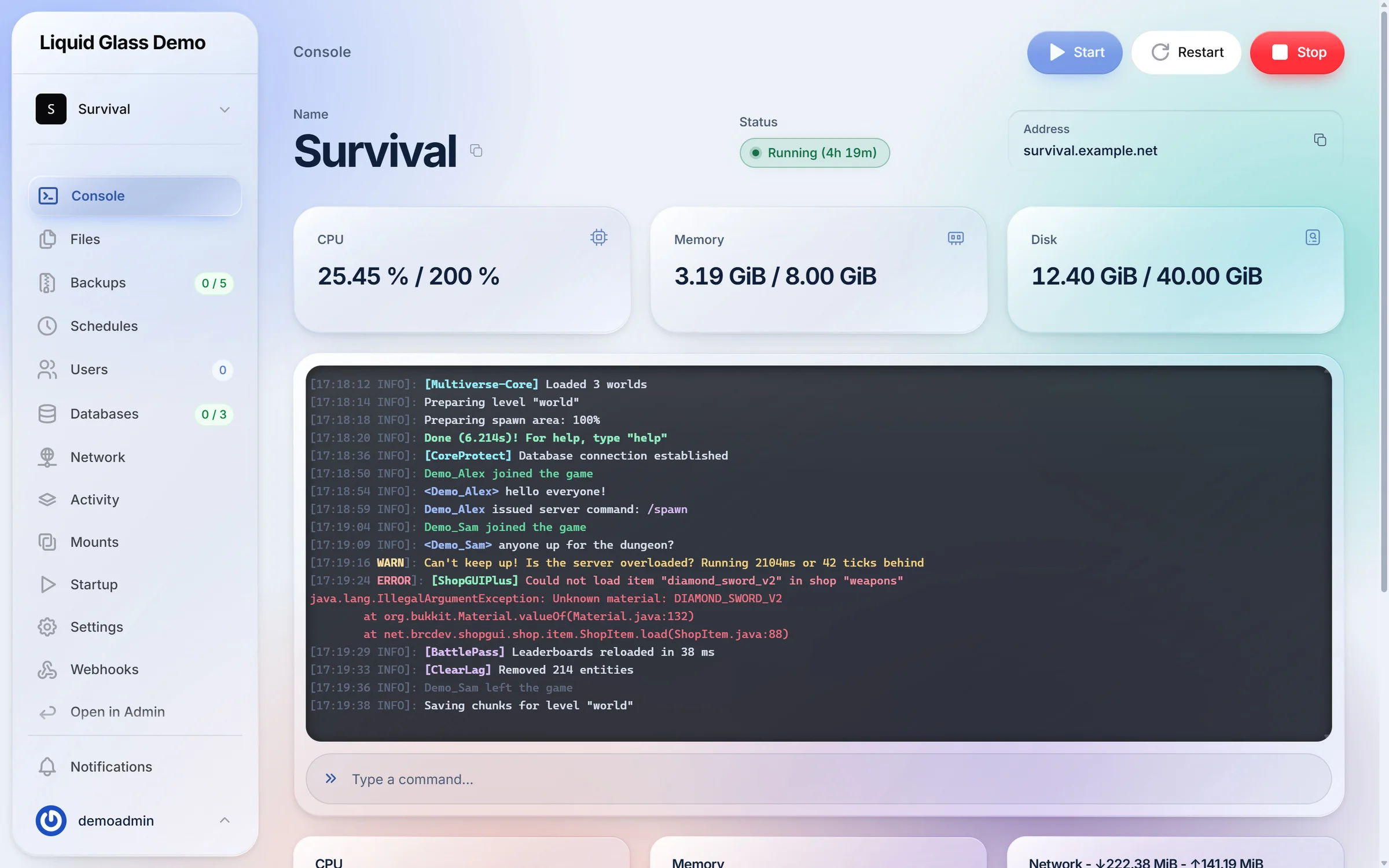
Server console in dark mode with resource stats and highlighted log output
Close-up of console log highlighting showing WARN, ERROR, a stack trace, plugin tags, chat and commands
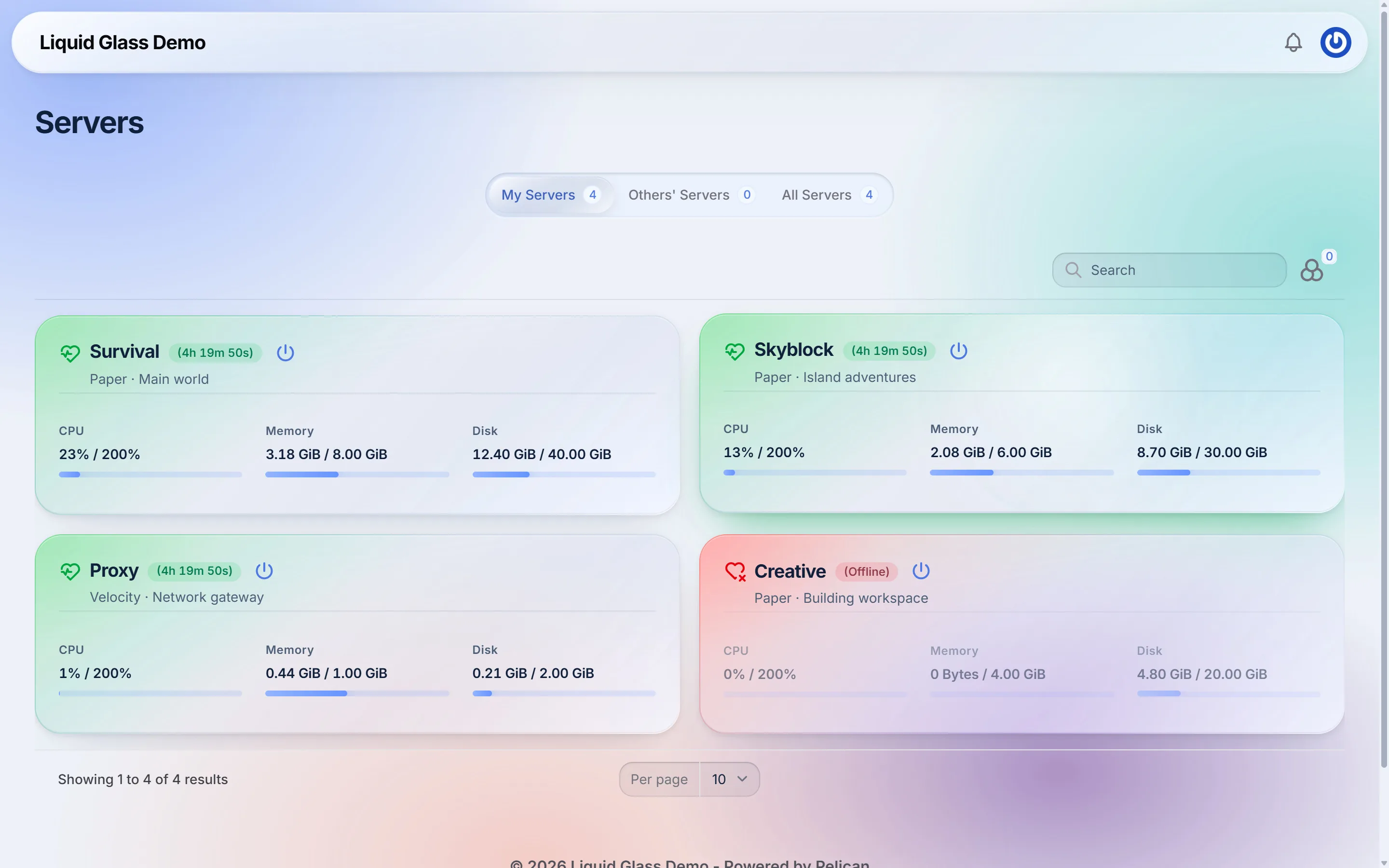
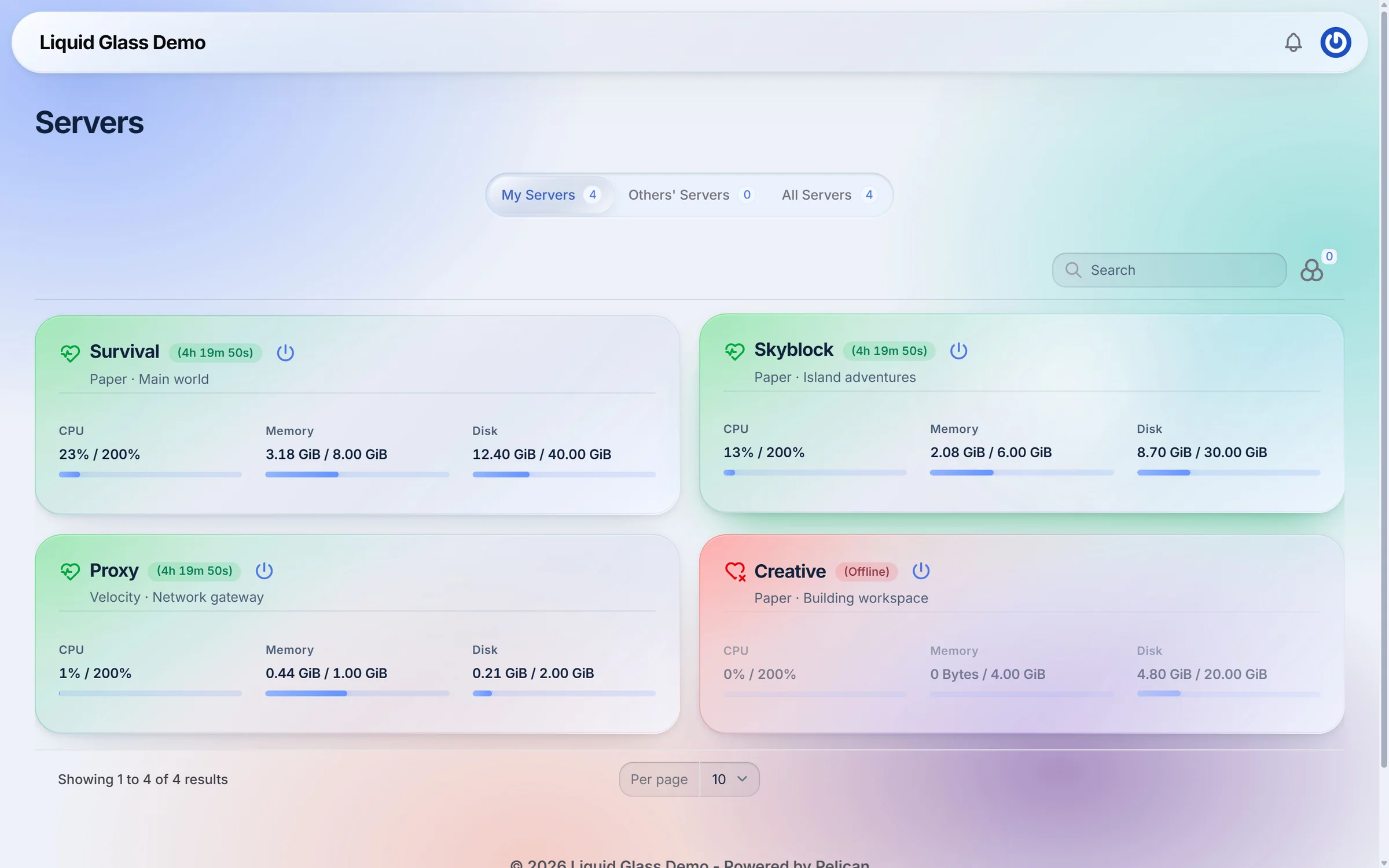
Server list in light mode with glass cards
Server list in dark mode with glass cards, uptime pills and CPU, memory and disk meters
Drag the handle or use the arrow keys to compare. Real screenshots of the same page.

Light mode

Designed twice, not inverted.

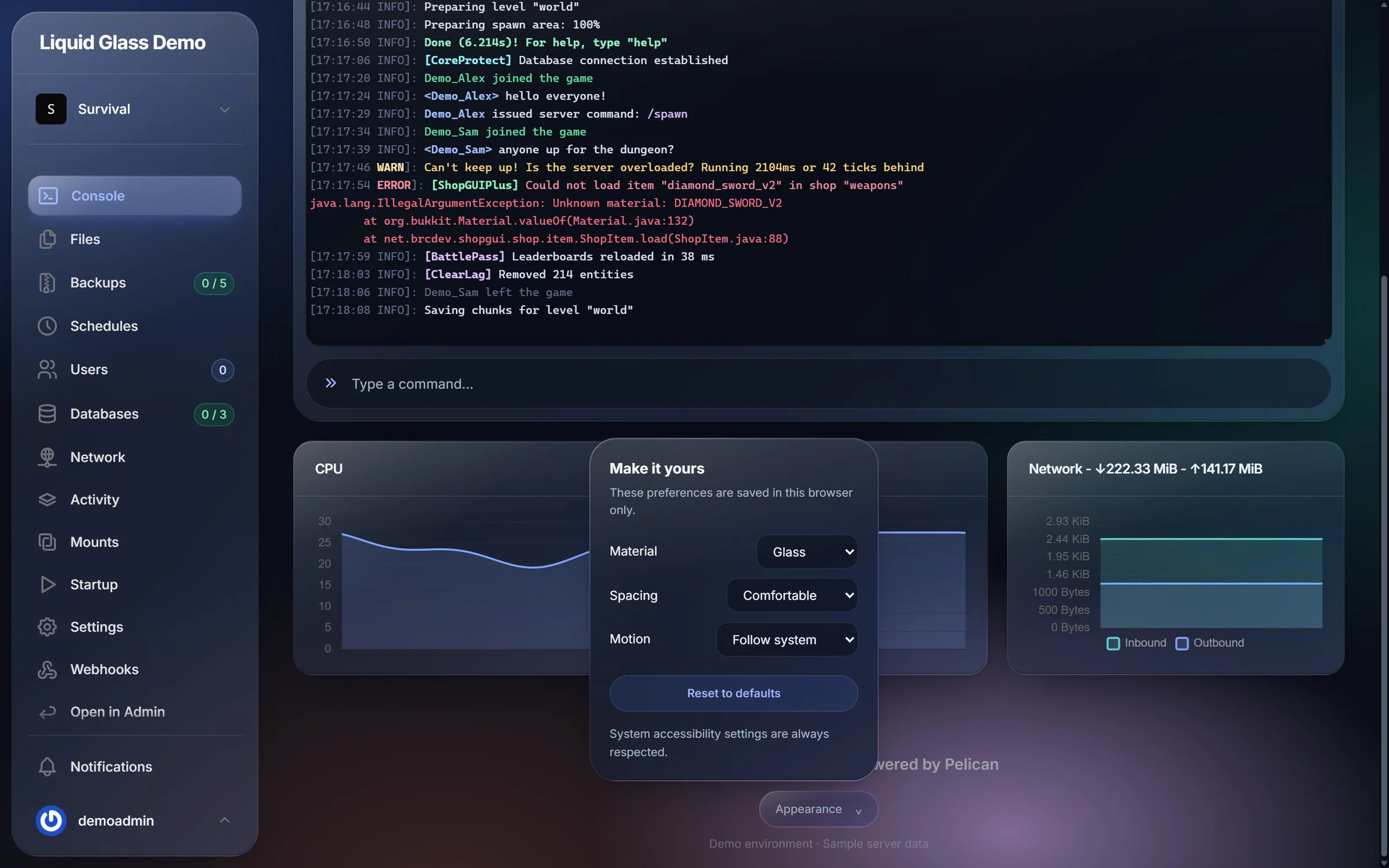
Light and dark mode each have their own glass, backdrop and contrast. Every user can also choose Glass or Solid material, Comfortable or Compact spacing and reduced motion from the Appearance menu.

Features

Everything the theme changes.

From the glass material to the console, every screen of the panel is covered. Nothing about how Pelican works is changed.

01Real liquid glass

  • Edge refraction: the top bar and sidebar bend the content beneath them near their rim in Chromium browsers. Firefox and Safari get frosted glass.
  • A specular rim on every pane and a glint that follows the cursor across cards and chrome.
  • Three coloured lights drift slowly behind the glass and pause automatically for users who prefer reduced motion.
  • Light and dark mode, both designed rather than inverted.

02Servers at a glance

  • Server cards lit from the edge by their state: running, offline or starting.
  • Uptime pill, labelled CPU, memory and disk meters, dimmed offline servers.
  • Cards keep their layout while loading, so nothing jumps when data arrives.

03A console you can read

  • Dim timestamps, coloured INFO, WARN and ERROR, a stable colour for every plugin tag and red stack traces.
  • Highlighted joins, chat names and player commands.
  • Works with Paper, Velocity, Forge, Fabric and BungeeCord log formats.
  • Terminal set into a glass well, with CPU, memory and network charts in the theme colours.

04Everywhere else

  • Floating sidebar, capsule top bar, segmented tabs, capsule buttons and recessed inputs.
  • File editor (Monaco) with syntax colours from the theme.
  • Frosted menus, modals and notifications. Pages condense out of the glass on navigation.
  • Appearance menu for every user: Glass or Solid material, Comfortable or Compact spacing, reduced motion. Saved per browser.

05Built for hosts

  • No core files modified. Installs through Admin > Plugins > Import.
  • No external requests, fonts or images.
  • Uninstall and the panel is back to default immediately.
  • Respects reduced motion, reduced transparency, higher contrast and forced colours.

Complete your setup

Want your own colours?

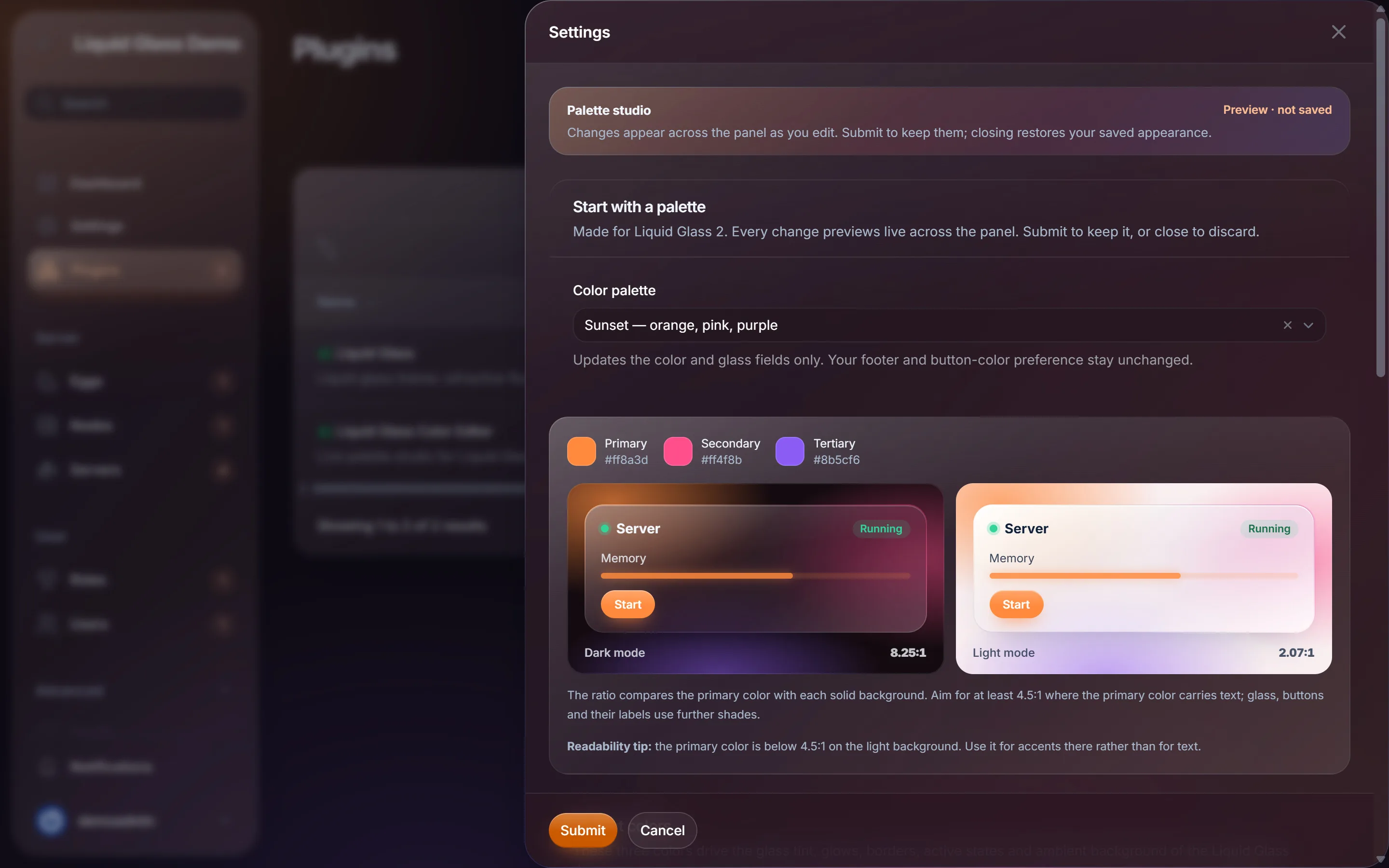
Liquid Glass ships with one palette. The Color Editor adds eight more, your own colours and glass controls, with a live preview.

Each product is a separate purchase on BuiltByBit. There is no bundle.

Requirements

Compatibility and installation.

Compatibility

Pelican Panel
1.0.0-rc.2
Tested with
Laravel 13.38, Filament 5.10.2, PHP 8.4
Edge refraction
Current Chromium-based browsers
Other browsers
Frosted glass without refraction
Languages
English, Czech, Slovak
Core files modified
None

Installation overview

  1. 1Open Admin > Plugins in your panel and click Import.
  2. 2Upload liquid-glass.zip without renaming it.
  3. 3Click Install next to Liquid Glass and reload the panel.

Changelog

Recent releases.

All releases
  1. v2.6.0Major

    The liquid glass redesign

    A complete redesign of the theme, with a new glass material, edge refraction and a console you can read.

  2. v1.3.1

    Pelican 1.0.0-rc.2 compatibility

    Verified on Pelican 1.0.0-rc.2, with more readable contrast labels.

  3. v1.3.0

    Personal appearance preferences

    Every user can now choose material, spacing and motion from the footer.

FAQ

Questions before you buy.

Something not covered here? Visit the support page.

Does Liquid Glass modify Pelican core files?

No. It installs as a regular Pelican plugin through Admin > Plugins > Import. Uninstall it and the panel returns to the default look immediately.

Why does the glass look solid on my computer?

On Windows with transparency effects turned off, the System material shows solid panes. Turn transparency effects on, or open Appearance in the panel footer and set Material to Glass.

Does edge refraction work in every browser?

Edge refraction needs a current Chromium-based browser such as Chrome or Edge. Firefox and Safari show the frosted glass version of the theme.

Can I change the colours?

The theme ships with an azure, lagoon and coral palette. The companion add-on Liquid Glass Color Editor, sold separately, adds eight palettes, custom colours and glass controls.

Does the theme load anything from external servers?

No. It makes no external requests and downloads no fonts or images.

How do I update to a new version?

Upload the new liquid-glass.zip in Admin > Plugins > Import, confirm the update and hard-reload the panel with Ctrl+F5.

Get Liquid Glass.

Clear glass panes, state-lit server cards and a console you can actually read. Installs as a plugin, touches no core files.

Checkout, licence and downloads are handled by BuiltByBit.

  1. Step 1

    Buy on BuiltByBit

    Checkout and payment are handled by BuiltByBit, the marketplace we sell through.

  2. Step 2

    Download from your account

    Download the archive from the product page while signed in to BuiltByBit. New versions are published on the same page.

  3. Step 3

    Install and get help

    Follow the installation guide. If anything is unclear, open a ticket on our Discord.