The theme
Liquid Glass for Pelican
Works on its own with the built-in azure, lagoon and coral palette.
The companion add-on for the Liquid Glass theme. Everything happens in one window in the admin area: choose a palette or your own colours, adjust the glass, and the entire panel previews the result live.
Requires Liquid Glass 2.6.0 or newer
This is an add-on. The Liquid Glass theme is sold separately and must be installed first.
Checkout, licence and downloads are handled by BuiltByBit.
Liquid Glass 2.6.0 or newerPelican Panel 1.0.0-rc.2Full compatibility
Try it here
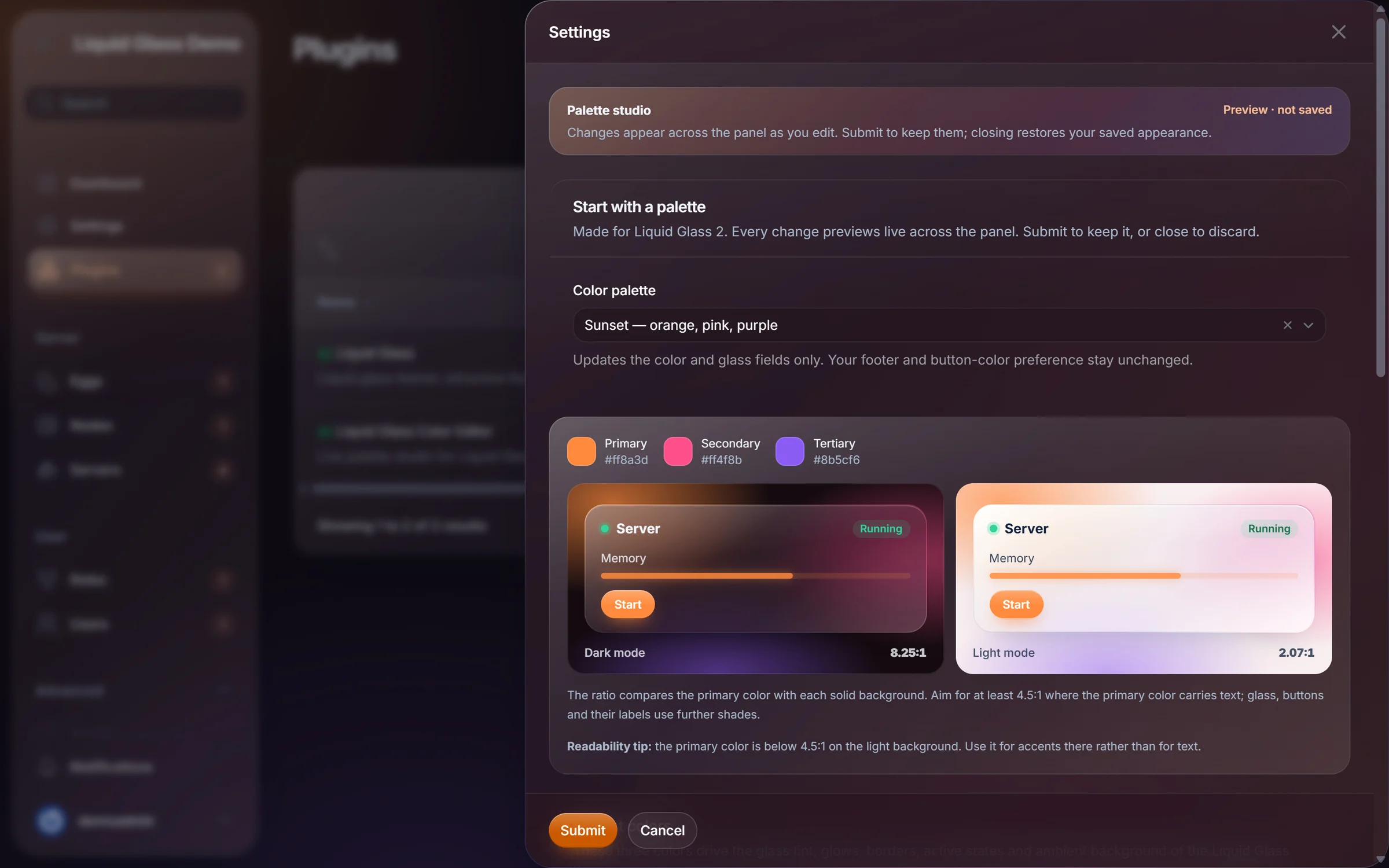
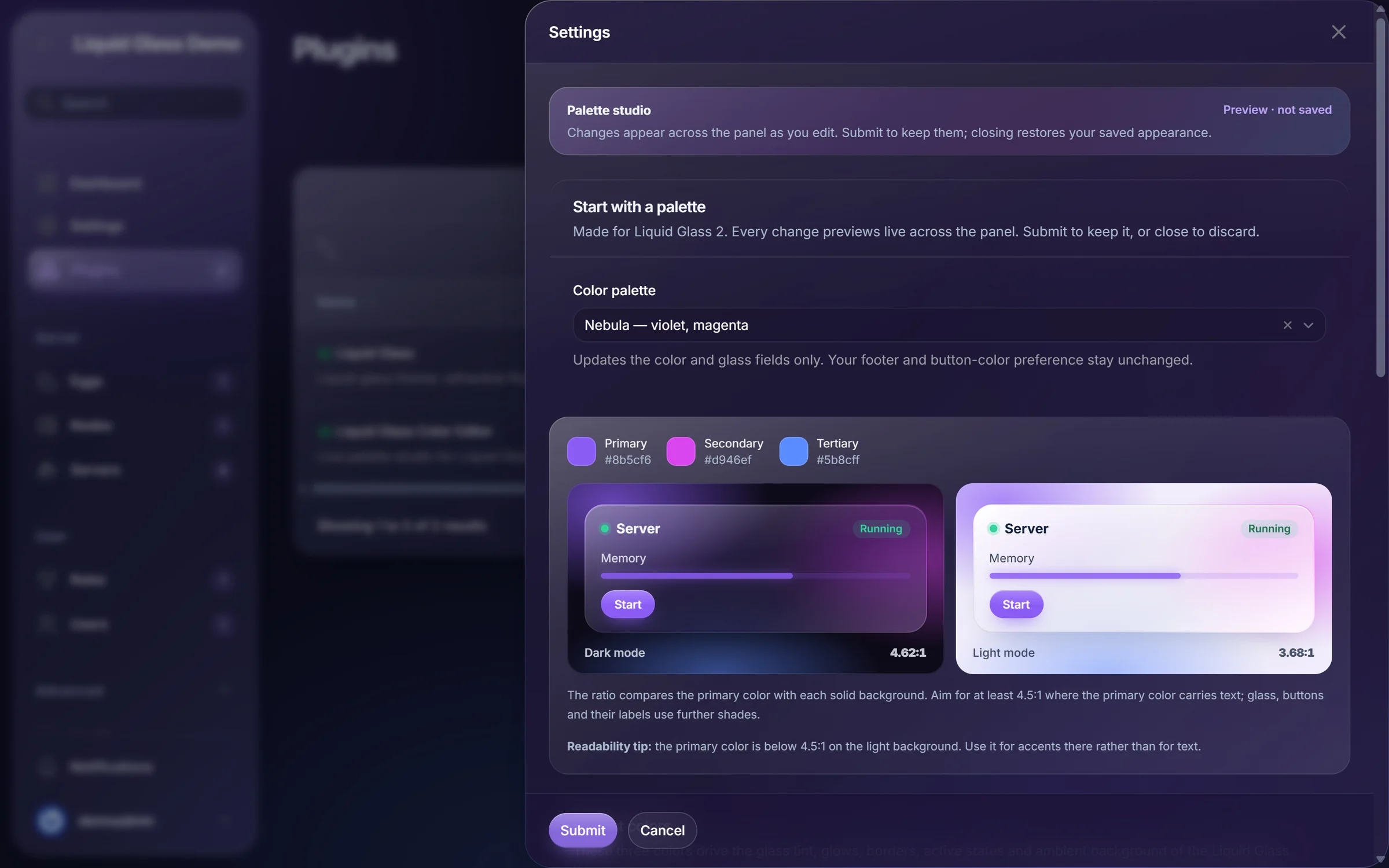
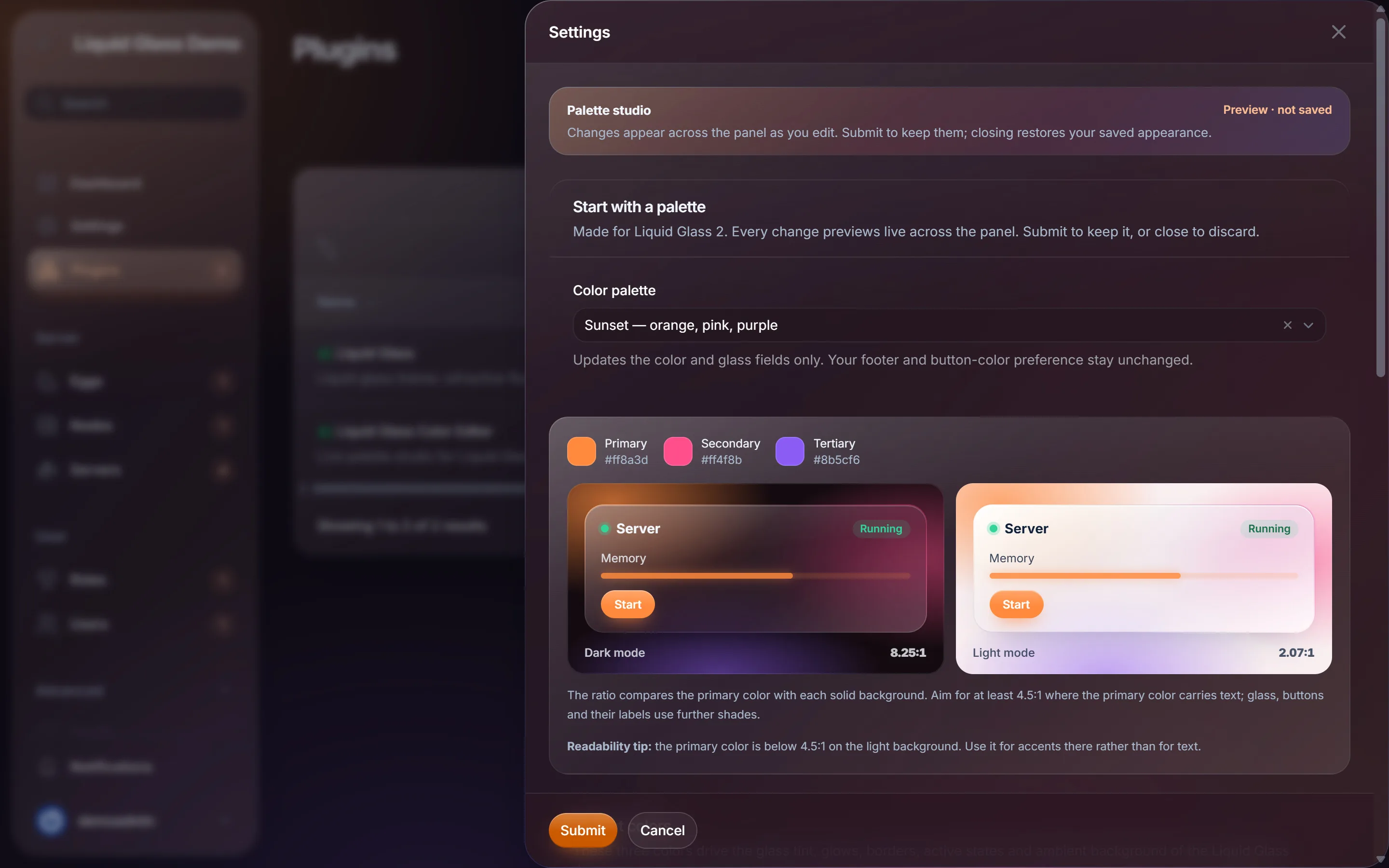
This browser demo uses the same eight palettes and the same contrast formula as the add-on. In your panel, the change previews across every page, not just a card.
Palette demo
Runs in your browser. This is a demonstration, not the add-on itself.
Memory
Memory
The primary colour is below 4.5:1 on the light background. Use it for accents there rather than for text.
Export this palette
Uses the add-on's palette format, ready for Import palette JSON.
Features
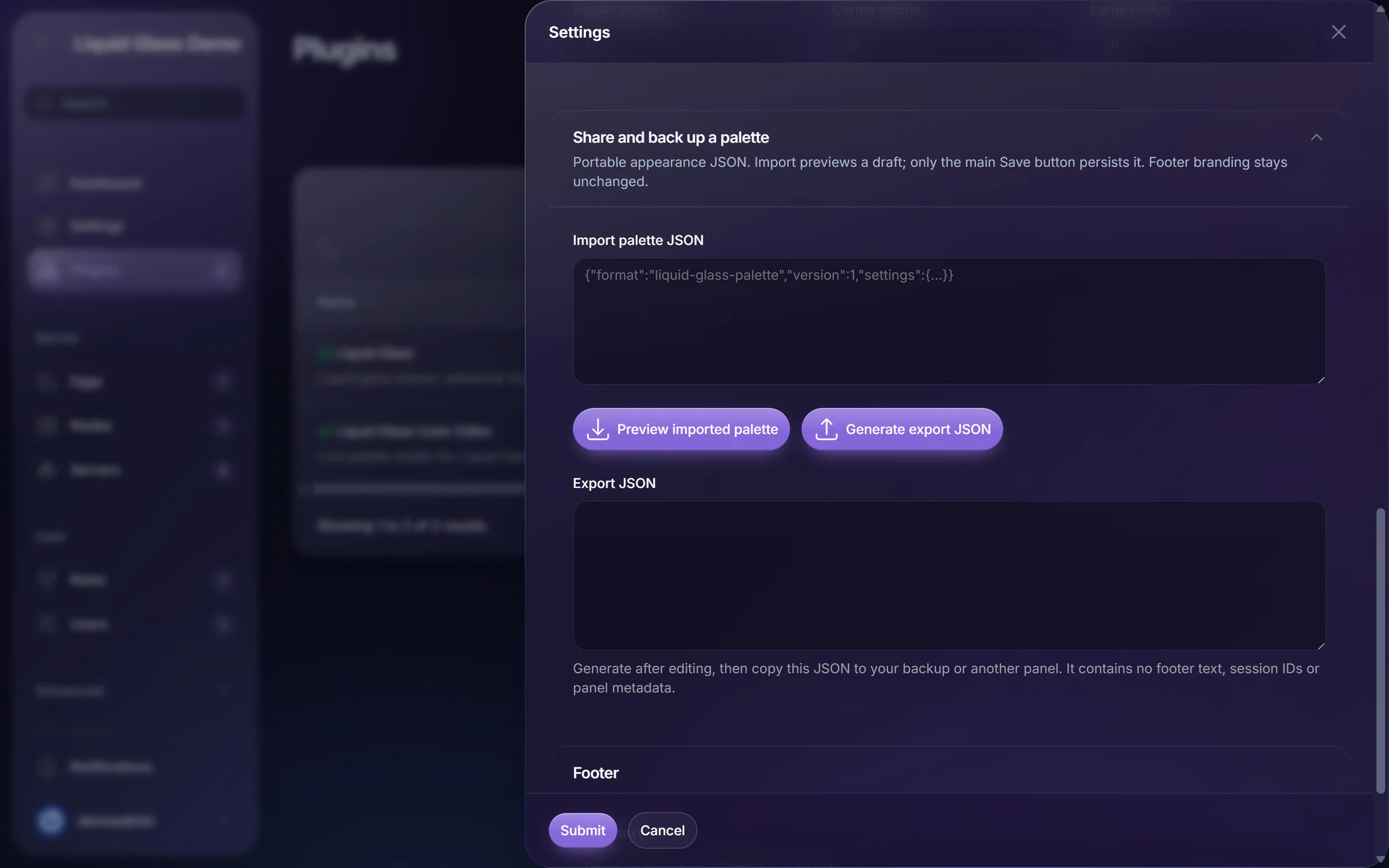
Everything happens in one settings window. Nothing is saved until you submit, so experimenting is safe.
Screenshots
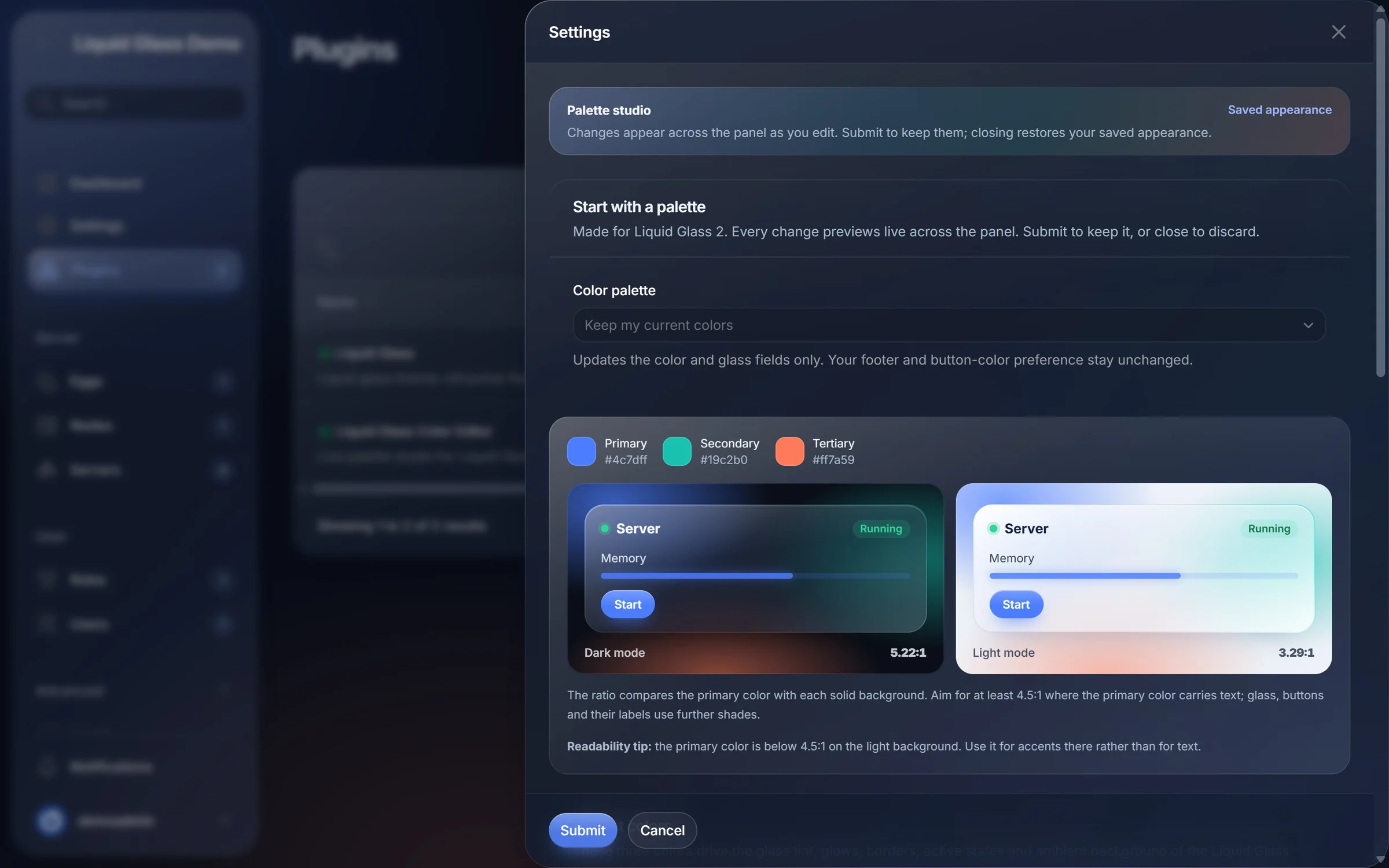
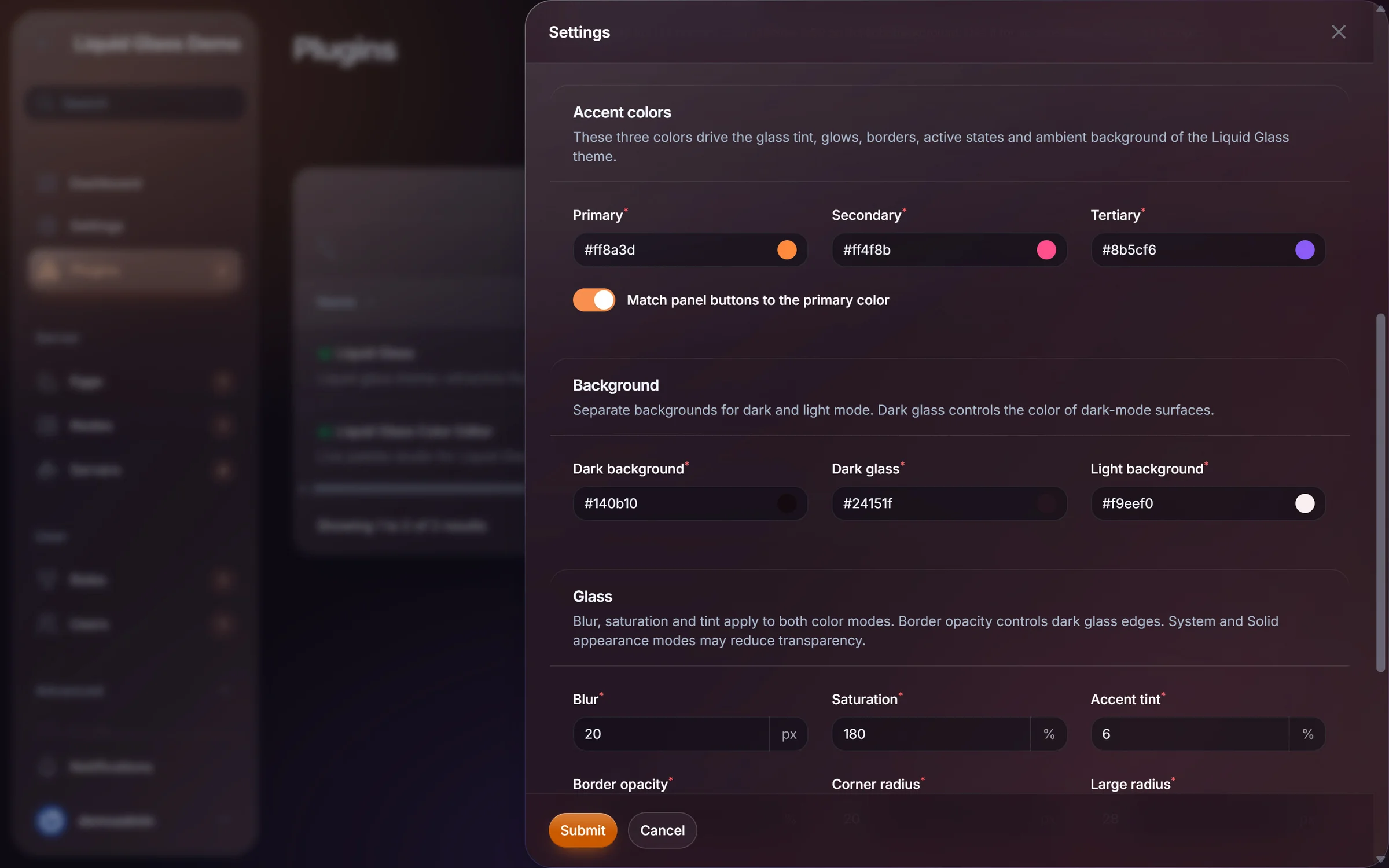
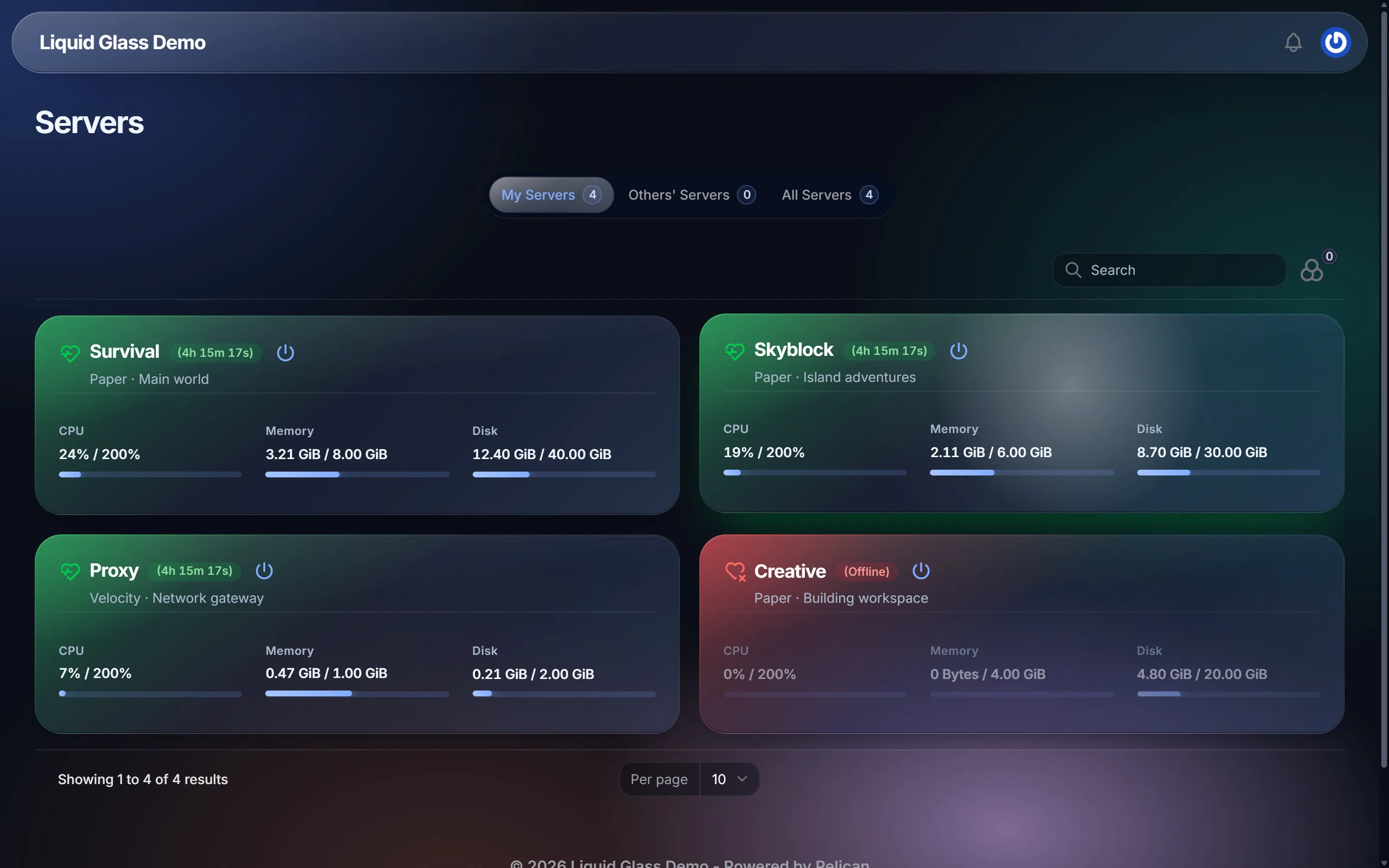
Unretouched screenshots from a Pelican Panel demo installation. Servers, players and logs are demo data.
Complete your setup
The Color Editor is an add-on. It recolours Liquid Glass, so you need the theme first.
The theme
Works on its own with the built-in azure, lagoon and coral palette.
Add-on
Needs Liquid Glass 2.6.0 or newer installed first.
Each product is a separate purchase on BuiltByBit. There is no bundle.
Requirements
Changelog
v2.0.0Major
Eight palettes retuned for the redesigned theme, with glass preview cards and contrast ratios.
Yes. The Color Editor is an add-on for the Liquid Glass theme 2.6.0 or newer, which is sold separately. It does not change the default Pelican theme.
No. The panel previews your changes live, but nothing is stored until you click Submit. Closing the window restores your saved look.
Yes. Generate an export, copy the JSON and paste it into Import palette JSON on the other panel. Footer text is never exported.
No. Your saved colours are kept when you update the add-on.
No. It is a browser demonstration that uses the same eight palettes and the same contrast formula. The real editor runs inside your Pelican admin area.
Pick a palette or your own colours, tune the glass and watch the whole panel change before you save. Requires Liquid Glass.
Checkout, licence and downloads are handled by BuiltByBit.
Checkout and payment are handled by BuiltByBit, the marketplace we sell through.
Download the archive from the product page while signed in to BuiltByBit. New versions are published on the same page.
Follow the installation guide. If anything is unclear, open a ticket on our Discord.